IIS 6: Renew Your Expiring SSL Certificate Using the DigiCert Utility
These instructions explain how to use the DigiCert© Certificate Utility for Windows to create your CSR (certificate signing request) and install your SSL Certificate. Then, they explain how to use IIS 6 to reconfigure your site bindings to use the new SSL Certificate.
To Renew Your IIS 6 SSL Certificate:
-
Create your CSR.
-
Install your new SSL Certificate.
See Importing Your SSL Certificate Using the DigiCert Utility.
-
Configure or assign your new SSL Certificate.
1. Creating Your CSR Using the DigiCert Utility
Best practices are to generate a new certificate signing request (CSR) when renewing your SSL certificate.
-
On your IIS 6 server with the expiring certificate, download and save the DigiCert® Certificate Utility for Windows executable (DigiCertUtil.exe).
-
Run the DigiCert® Certificate Utility for Windows.
Double-click DigiCertUtil.
-
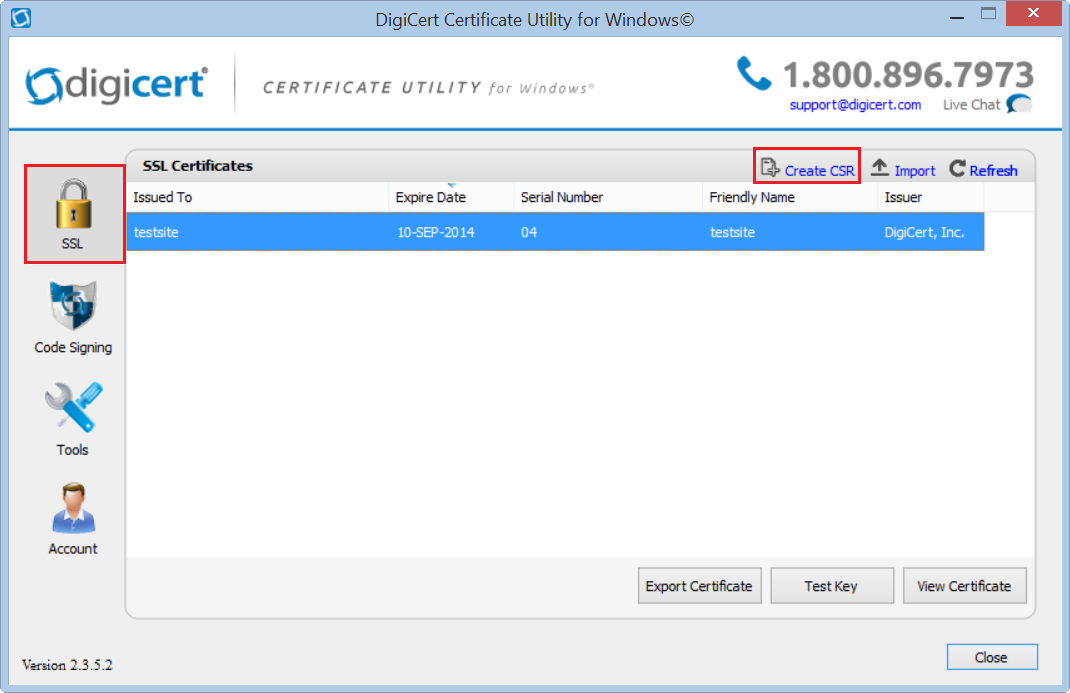
In DigiCert Certificate Utility for Windows©, click SSL (gold lock), select the expiring certificate that you want to renew, and then, click Create CSR.
-
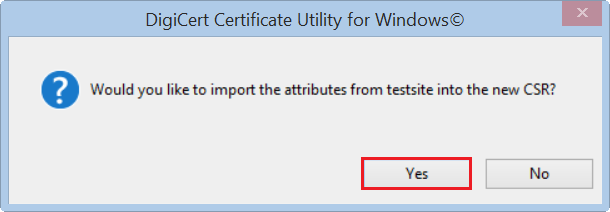
In the "Would you like to import the attributes from 'certificate' into the new CSR?" window, click Yes.
-
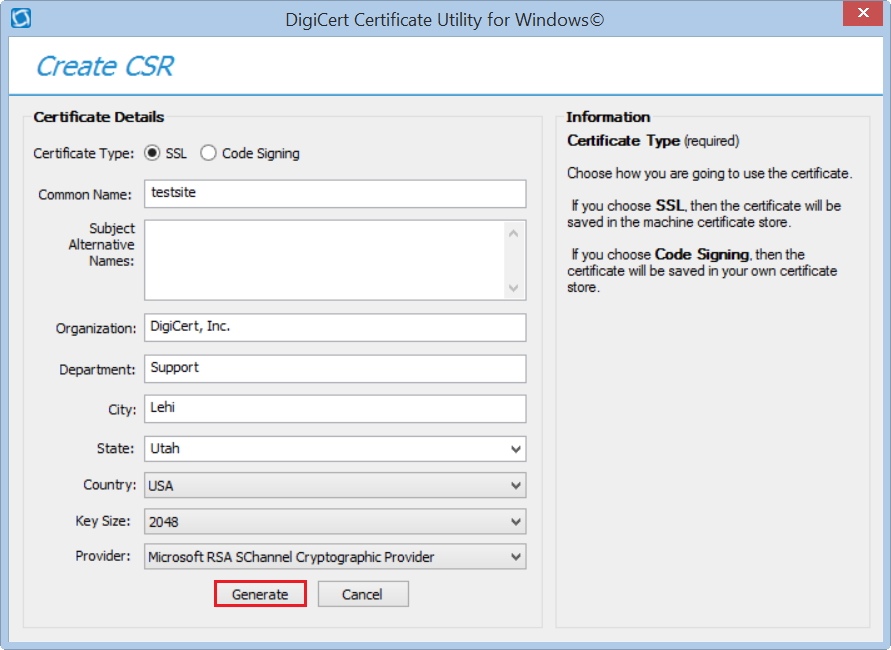
On the Create CSR page, verify that all the certificate details are correct, and then click Generate.
-
On DigiCert Certificate Utility for Windows© - Renew Certificate page, do one of the following, and then, click Close:
Click Copy CSR. Copies the certificate contents to the clipboard. If you use this option, we recommend that you paste the CSR into a tool such as Notepad. If you forget and copy some other item, you still have access to the CSR, and you do not have to go back and recreate it. Click Save to File. Saves the CSR as a .txt file to the Windows server. We recommend that you use this option. 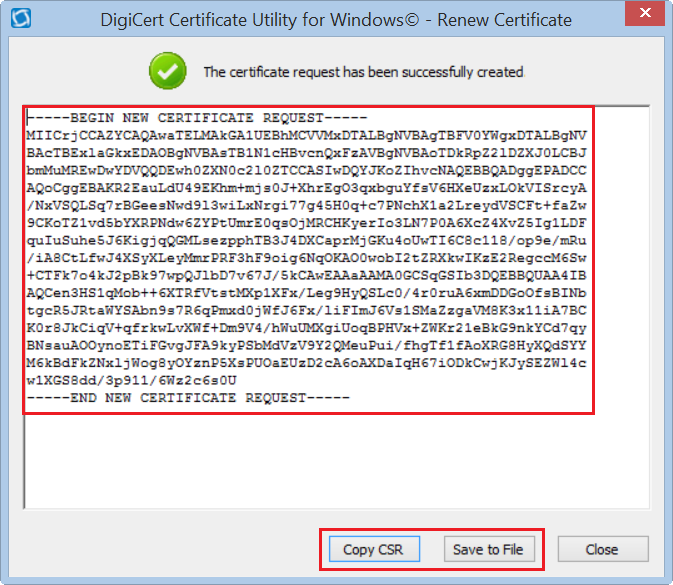
Renew Your SSL Certificate
Renew your SSL certificate from inside your DigiCert CertCentral account.
Are you new to the DigiCert team? You can "replace" your certificate with a DigiCert certificate. Order your new certificate here - Purchase Your DigiCert Certificate.
-
Log into your CertCentral account.
-
In CertCentral, in the left main menu, click Certificates > Expiring Certificates.
-
On the Expiring Certificates page, next to the certificate you want to renew, click Renew Now.
A certificate doesn't appear on the Expiring Certificates page until 90 days before it expires.
-
Follow the instructions provided inside your account to renew your SSL certificate.
-
Add your CSR
When renewing the certificate, you'll need to include a CSR. On the "Renewal" page, under Certificate Settings, upload the CSR file you saved to the server.
You can also use a text editor (such as Notepad) to open the file. Then, copy the text, including the -----BEGIN NEW CERTIFICATE REQUEST----- and -----END NEW CERTIFICATE REQUEST----- tags, and paste it in the Add Your CSR box.
-
After you place the order to renew your certificate, DigiCert verifies your information.
-
If we need any additional information, we will promptly contact you by phone or email. If no additional information is required, we will most likely issue your certificate within an hour.
2. Importing Your SSL Certificate Using the DigiCert Utility
After you receive your renewal SSL Certificate, you need to run the DigiCert Certificate Utility to import it to your IIS 6 server.
-
After receiving your new certificate file from DigiCert, save the file to the IIS 6 server where you created the CSR.
-
On the same server, run the DigiCert® Certificate Utility for Windows.
Double-click DigiCertUtil.
-
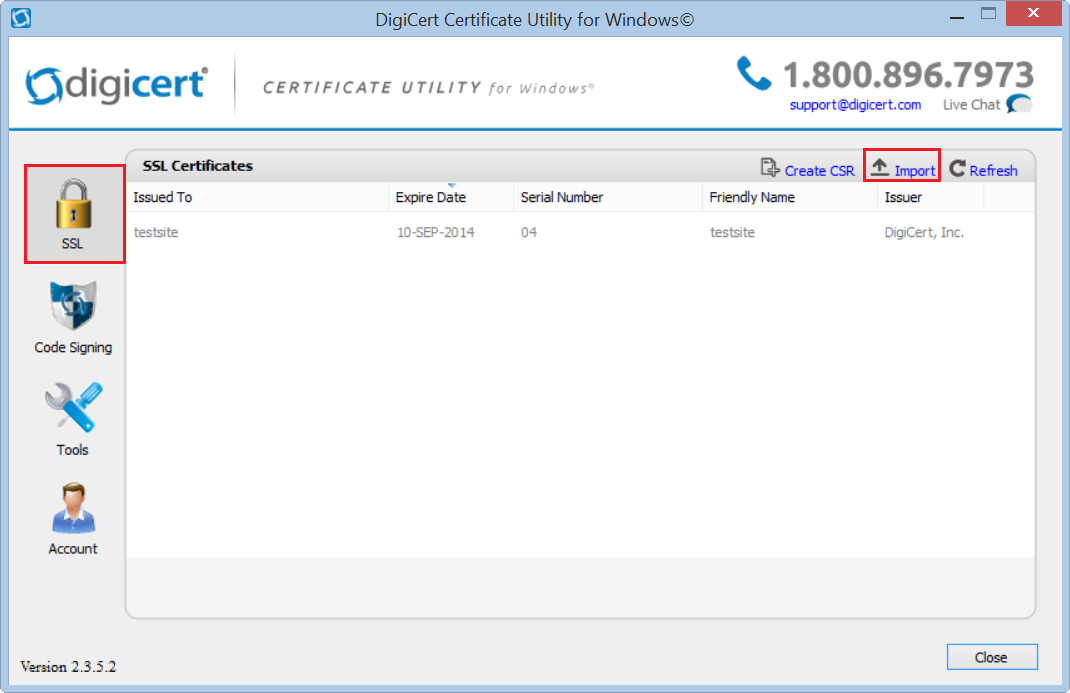
In DigiCert Certificate Utility for Windows©, click SSL (gold lock) and then, click Import.
-
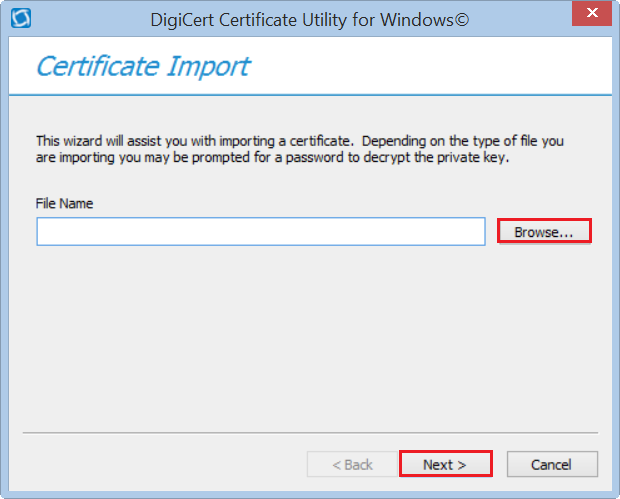
In the Certificate Import wizard, click Browse to browse to the .cer certificate file (i.e. your_domain_com.cer) that DigiCert sent you, select the file, click Open, and then, click Next.
-
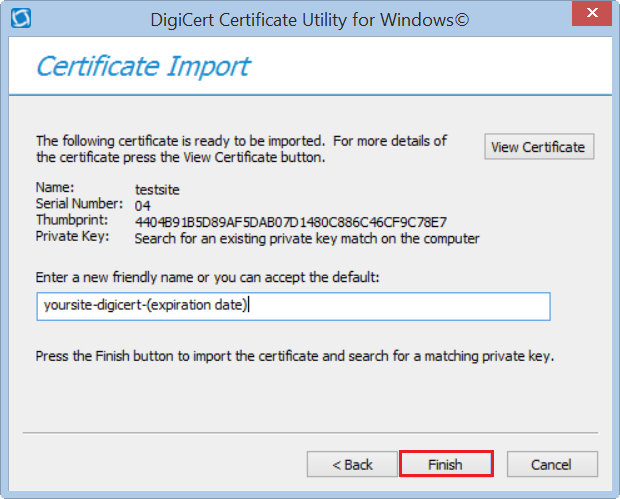
In the Enter a new friendly name or you can accept the default box, type a friendly name for the certificate.
Note: The friendly name is not part of the certificate; instead, it is used to identify the certificate.
We recommend that you add DigiCert and the expiration date to the end of your friendly name, for example: yoursite-digicert-(expiration date). This information helps identify the issuer and expiration date for each certificate. It also helps distinguish multiple certificates with the same domain name.
-
To import the SSL Certificate to your server, click Finish.
You should receive "Your certificate has been successfully imported" message. You are now ready to assign/configure your server software to use the renewed SSL Certificate.

3. IIS 6: Replacing Your Old Certificate
If you have not yet created your certificate signing request (CSR) and ordered your certificate, see Creating Your CSR Using the DigiCert Utility.
-
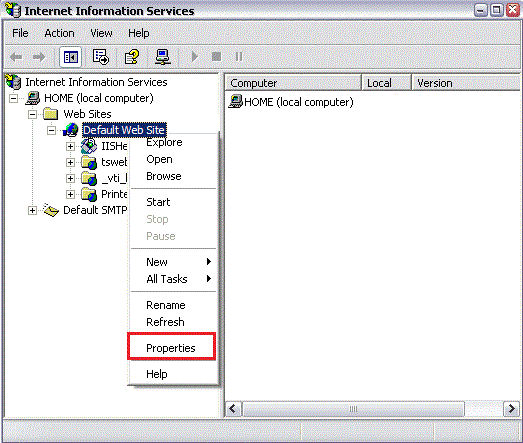
Open Internet Information Services (IIS) Manager (Administrative Tools > Internet Information Services (IIS) Manager).
-
Right-click on the website to which you are assigning the SSL Certificate and select Properties
-
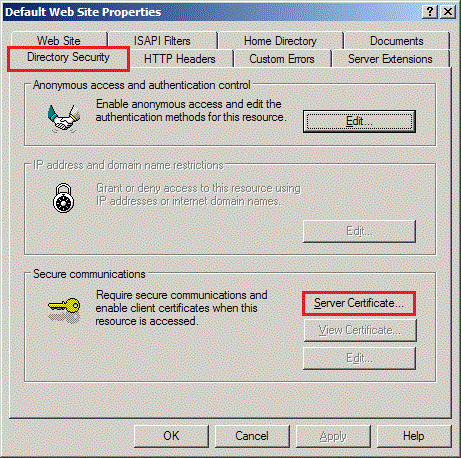
In the Properties window, on the Directory Security tab, click Server Certificate.
-
When your have the option to remove, replace, or renew the current SSL Certificate, select Replace and then click Next.
-
Select the certificate that was just installed with the DigiCert Utility.
-
Follow the instructions in the IIS Wizard.
Your new SSL Certificate should now be installed on your IIS 6 website.
Test Your Installation
To verify that the installation is correct, use our DigiCert® SSL Installation Diagnostics Tool and enter the DNS name of the site (i.e. www.yourdomain.com, or mail.yourdomain.com) that you are securing to test your SSL Certificate.
Troubleshooting
After importing your certificate on to the new server, if you run into certificate errors, try repairing your certificate trust errors using DigiCert® Certificate Utility for Windows. If this does not fix the errors, contact support.