

Back

-
Solutions
Back
Digital Trust for:
Enterprise IT, PKI & Identity
Code & Software
Documents & Signing
IoT & Connected Devices
Manage PKI and Certificate risk in one place
Streamlined Certificate
Management
and Automation:
Delivering At-Scale Uptime
and Availability
Secure, update, monitor and control connected devices at scale
DOWNLOAD NOW - Buy
-
Insights
Back
Digital Trust for the Real World
Explore these pages to discover how DigiCert is helping organizations establish, manage and extend digital trust to solve real-world problems.
Ponemon Institute Report
See what our global post-quantum study uncovered about where the world stands in the race to prepare for quantum computing.
LEARN MORE >

-
Partners
Back
- Support
- Contact us
- Language



DigiCert CertCentral® TLS/SSL Manager
Automation and full
lifecycle management
made easy
Never having to worry about a lapse disrupting
your day. That’s digital trust for the real world.
Close the loop on certificate lifecycle management
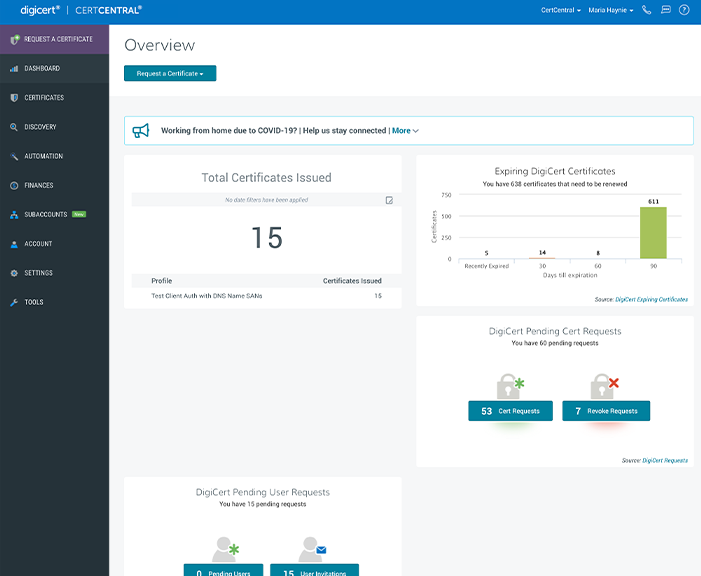
CertCentral simplifies digital trust and automates certificate management by consolidating tasks for
issuing, installing, inspecting, remediating, and renewing TLS/SSL certificates in one place.

Certificate Issuance
Manage high-volume TLS/SSL certificate issuance for multiple individuals and teams in a fraction of the time. With role-based user access and domain pre-validation, you’ll save time with certificate management that can be put toward more critical tasks—like inspection and remediation.

Certificate Installation
Enjoy hands-off TLS/SSL certificate distribution by using SCEP, REST, EST, or auto-enrollment to automate certificate deployment for devices and users across your network.

Certificate Inspection
With a single click, scan all your TLS/SSL certificates for vulnerabilities and weak configurations to avoid a lapse in security. See analytics and reports about the health of your network at any given moment.

Certificate Remediation
When CertCentral finds an issue, you’ll get remediation suggestions with detailed answers to virtually any certificate problem. And if you ever need to revoke a certificate, it only takes one click.

Certificate Renewal
Lapsed TLS/SSL certificates can cost a business millions of dollars. The CertCentral automatic renewal option eliminates the headache of manually tracking certificates so you can avoid unplanned outages.

Certificate Automation
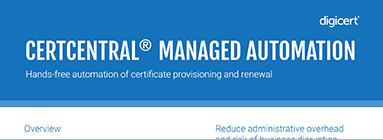
From hosted, agent-based or sensor-based automation to ACME URL, CertCentral provides flexibility to automate certificate lifecycles the best way fit for your organization, so you can avoid expiring certificates and tedious manual tasks.
TLS DEMOS
The first three things everyone should do in CertCentral
DigiCert CertCentral
How to request a status in DigiCert CertCentral in under 60 seconds
DigiCert CertCentral
How to approve a certificate request in DigiCert CertCentral in under 60 seconds
DigiCert CertCentral
How to renew an expiring certificate in DigiCert CertCentral in 60 seconds—or less
DigiCert CertCentral
Three things users love about CertCentral
DigiCert CertCentral
How to automate ACME protocol deployment
DigiCert CertCentral
How to manage your entire certificate ecosystem
DigiCert CertCentral
How to automatically renew a certificate in 60 seconds—or less
DigiCert CertCentral
How to identify and fix a certificate issue in 60 seconds—or less
DigiCert CertCentral
Three things enterprises love most about CertCentral
- First three things everyone should do in CertCentral
- How to request a status in DigiCert CertCentral in Under 60 Seconds
- How to approve a certificate request in DigiCert Cert Central in under 60 seconds
- How to Renew an Expiring Certificate in DigiCert CertCentral in 60 Seconds—or Less
- Three Things Users Love Most About CertCentral
- How to Automate ACME Protocol Deployment
- How to Discover Your Entire Certificate Ecosystem
- How to Automatically Renew a Certificate in 60 seconds—or Less
- How to Identify and Fix a Certificate Issue in 60 seconds—or Less
- Three things enterprises love most about CertCentral

Delegate and conquer
Assign certificate management tasks by adding role-based users ranging from administrators to finance managers and standard users. There’s power in numbers.

REST assured
The DigiCert RESTful API lets you take all the capabilities of DigiCert CertCentral and retrofit them to your team’s usual workflow. That’s working smarter, not harder.

Manage TLS/SSL in ServiceNow
With DigiCert CertCentral TLS Manager available in the ServiceNow platform, you can issue and track new TLS/SSL certificates from the convenience of your current workflow. Download the app today to access customizable and time-saving tools for certificate management. Download now.
Customer Reviews: CertCentral TLS Manager

“Easy to use, understand, and enables our teams to get up and running quickly with a trusted certificate.”
Brent B., May 2020
Related resources
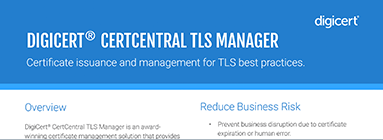
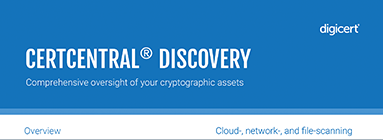
A foundation for digital trust
DigiCert ONE is more than just a platform. It’s a new way of thinking about how you secure and manage everything of value in your organization. From the individual website to the massive enterprise, DigiCert ONE makes security, validation, and identity powerful and easy. No matter the size or use, DigiCert ONE delivers control and simplicity for the highest level of assurance.
Take a look at our other DigiCert ONE managers
DIGICERT® TRUST LIFECYCLE MANAGER
DIGICERT® IOT TRUST MANAGER
DIGICERT® SOFTWARE TRUST MANAGER
DIGICERT® DOCUMENT TRUST MANAGER
Already using DigiCert ONE? Log in now.
TALK TO AN EXPERT TO LEARN HOW TO
AUTOMATE CERTIFICATE MANAGEMENT
-

The most-trusted global provider of high-assurance TLS/SSL, PKI, IoT and signing solutions.
-


-
© 2024 DigiCert, Inc. All rights reserved.
Legal Repository Audits & Certifications Terms of Use Privacy Center Accessibility Cookie Settings