
Back

-
Solutions
Back
Digital Trust for:
Enterprise IT, PKI & Identity
Code & Software
Documents & Signing
IoT & Connected Devices
Manage PKI and Certificate risk in one place
Streamlined Certificate
Management
and Automation:
Delivering At-Scale Uptime
and Availability
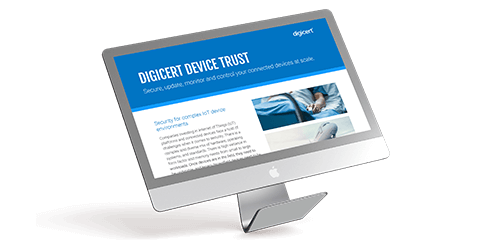
Secure, update, monitor and control connected devices at scale
DOWNLOAD NOW - Buy
-
Insights
Back
Digital Trust for the Real World
Explore these pages to discover how DigiCert is helping organizations establish, manage and extend digital trust to solve real-world problems.
Ponemon Institute Report
See what our global post-quantum study uncovered about where the world stands in the race to prepare for quantum computing.
LEARN MORE >

-
Partners
Back
- Support
- Contact us
- Language



The best support in the
industry. Literally.
Our goal is to make digital security so simple that you
never need us. But if you do—or just want more
information about our solutions—our award-winning
staff is happy to help, in your language, any time
of day or night.
Not Finding What You're Looking For?
Contact a Support Technician For Help.

CHAT
.gif)
CALL
1-801-701-9600
1-800-896-7973
Sales:
1-801-770-1701
Spanish:
1-801-701-9601
Enterprise Only:
1-801-769-0749
1-800-579-2848
More of a DIY problem solver?
So are we. Select your product below to access top support articles, how-to guides, installation manuals, management best practices and more.
TLS/SSL Support

Renewing
Instructions for renewing certificates
CSR Creation
Instructions for creating a certificate signing request
Certificate Installation
Instructions for installing certificates
Certificate Configuration
Instructions for configuring certificates
Account Tutorials
Instructions for your account
Installing a Certificate
Installing a Certificate on IIS7 Server
Duplicate a TLS/SSL Certificate
How to duplicate an TLS/SSL certificate
Code Signing Support

Purchase a Certificate
Purchasing a code signing certificate
Code Signing Installation
Installing a code signing certificate
Re-key/Reissue Certificate
Standard code signing certificates
Windows: Verify Install
Verifying a certificate installation
Windows: Export Certificate
Exporting a code signing certificate to a PFX or P12 file
Mac: Verify Install
Verifying a certificate installation
Mac: Export Certificate
For exporting to P12 or PKC12 files
How to Import and Export a Certificate
Importing/exporting a TLS/SSL certificate
Document Signing Support

DigiCert Token Setup
Setting up your DigiCert provided token
Certificate Installation
Installing your certificate on a token
Certificate Re-keying
Re-keying your document signing certificate
-

The most-trusted global provider of high-assurance TLS/SSL, PKI, IoT and signing solutions.
-


-
© 2024 DigiCert, Inc. All rights reserved.
Legal Repository Audits & Certifications Terms of Use Privacy Center Accessibility Cookie Settings